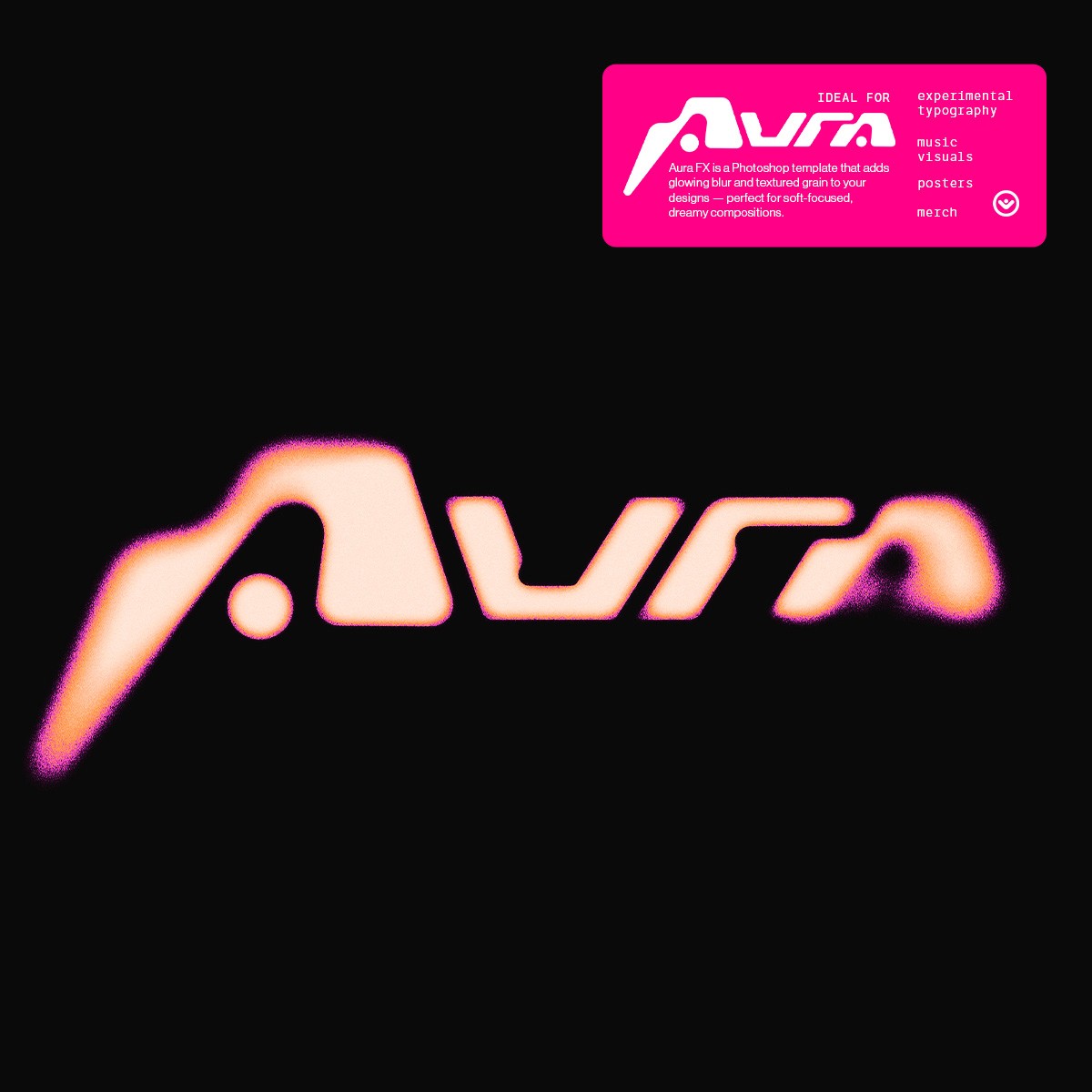


Glow, blur, and grain — in seconds.
A high-resolution Photoshop template built to create soft, atmospheric, luminous visuals without plugins or complicated steps.
Glow, blur, and grain — in seconds.
A high-resolution Photoshop template built to create soft, atmospheric, luminous visuals without plugins or complicated steps.
Skip the Hard Part
Skip the Hard Part
Skip the Hard Part
Skip the Hard Part
Building glow effects from scratch takes layers, masks, manual blur, and color grading.
Aura FX eliminates that friction: a pre-built scene where blur, luminance, and grain are already dialed in.
Drop your artwork in, tweak intensity, and ship a finished, atmospheric visual in minutes — not hours.
Building glow effects from scratch takes layers, masks, manual blur, and color grading.
Aura FX eliminates that friction: a pre-built scene where blur, luminance, and grain are already dialed in.
Drop your artwork in, tweak intensity, and ship a finished, atmospheric visual in minutes — not hours.
What you'll get:
• 2 PSDs (Dark & Light setups)
• 36 Gradient Maps
• Pre-configured Smart Blur + Iris Blur
• Pre-adjusted Grain Levels
What you'll get:
• 2 PSDs (Dark & Light setups)
• 36 Gradient Maps
• Pre-configured Smart Blur + Iris Blur
• Pre-adjusted Grain Levels
Use Cases
Use Cases
Use Cases
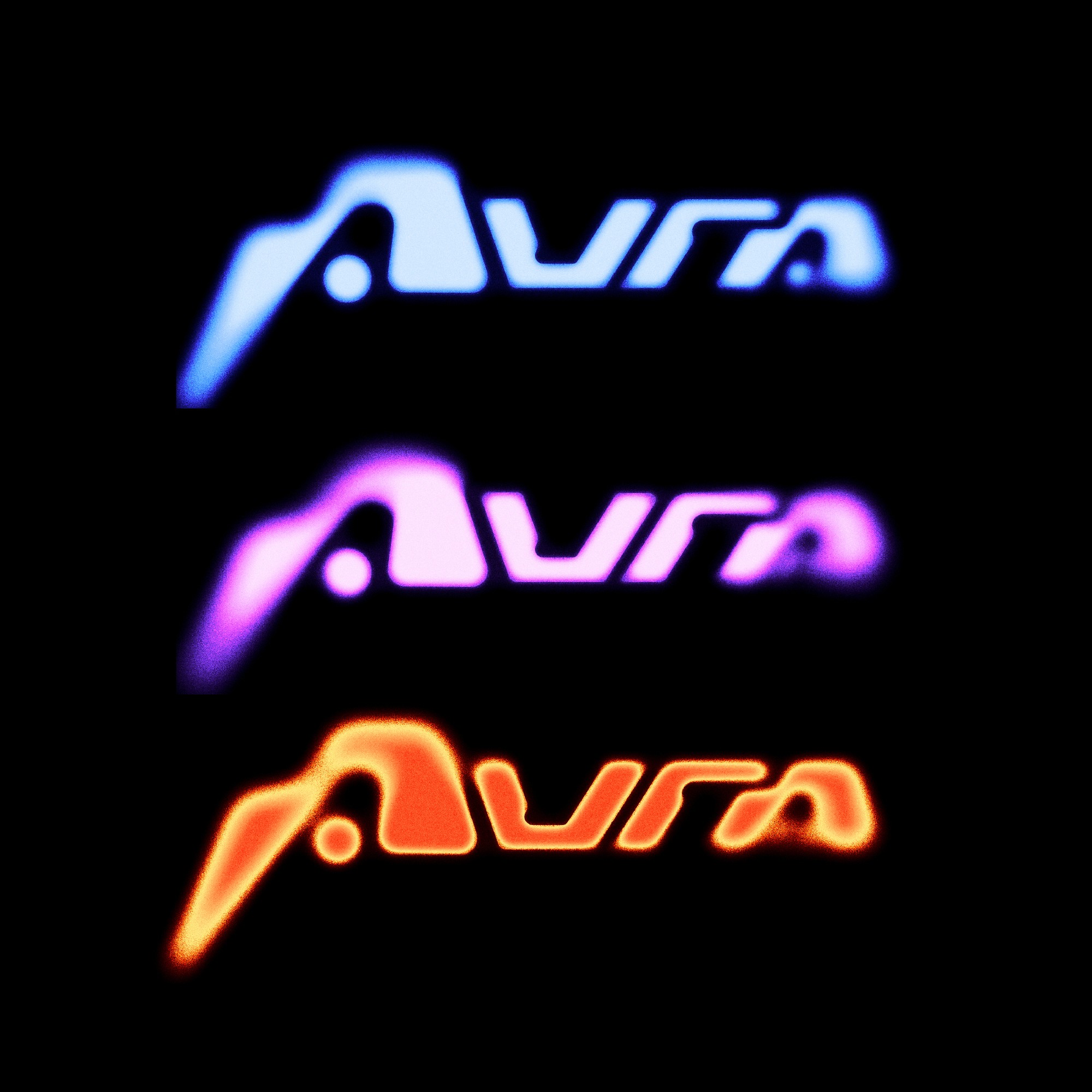
Add depth, glow, and atmosphere to titles, logos, and wordmarks.
Add depth, glow, and atmosphere to titles, logos, and wordmarks.
Add depth, glow, and atmosphere to titles, logos, and wordmarks.

Perfect for cover art, flyers, single artwork, previews, and motion loops.
Perfect for cover art, flyers, single artwork, previews, and motion loops.
Perfect for cover art, flyers, single artwork, previews, and motion loops.

Apply glow and textured grain to tees, prints, and experimental graphics.
Apply glow and textured grain to tees, prints, and experimental graphics.
Apply glow and textured grain to tees, prints, and experimental graphics.
Built for fast-paced creatives
Built for fast-paced creatives
Built for fast-paced creatives
Aura FX was designed for designers who need high-impact visuals on tight timelines.
From cover art and flyers to full poster series and merch drops, you create fast — with consistency and zero quality loss.
Aura FX was designed for designers who need high-impact visuals on tight timelines.
From cover art and flyers to full poster series and merch drops, you create fast — with consistency and zero quality loss.
Does Aura FX work on any Photoshop version?
Yes. Aura FX works on any modern version of Adobe Photoshop that supports Field Blur and Smart Filters.
Is it beginner-friendly?
Totally. The glow and grain setup is pre-built — you just replace the artwork and adjust intensity, color and grain levels.
Do I need any plugins?
No. Everything runs natively inside Photoshop.
Can I use it for client work?
To add a video to your site, click the “Insert” button and navigate to the “Media” section. Then, drag and drop a video component onto the Canvas.
Does Aura FX work on any Photoshop version?
Yes. Aura FX works on any modern version of Adobe Photoshop that supports Field Blur and Smart Filters.
Is it beginner-friendly?
Totally. The glow and grain setup is pre-built — you just replace the artwork and adjust intensity, color and grain levels.
Do I need any plugins?
No. Everything runs natively inside Photoshop.
Can I use it for client work?
To add a video to your site, click the “Insert” button and navigate to the “Media” section. Then, drag and drop a video component onto the Canvas.
Does Aura FX work on any Photoshop version?
Yes. Aura FX works on any modern version of Adobe Photoshop that supports Field Blur and Smart Filters.
Is it beginner-friendly?
Totally. The glow and grain setup is pre-built — you just replace the artwork and adjust intensity, color and grain levels.
Do I need any plugins?
No. Everything runs natively inside Photoshop.
Can I use it for client work?
To add a video to your site, click the “Insert” button and navigate to the “Media” section. Then, drag and drop a video component onto the Canvas.
Does Aura FX work on any Photoshop version?
Yes. Aura FX works on any modern version of Adobe Photoshop that supports Field Blur and Smart Filters.
Is it beginner-friendly?
Totally. The glow and grain setup is pre-built — you just replace the artwork and adjust intensity, color and grain levels.
Do I need any plugins?
No. Everything runs natively inside Photoshop.
Can I use it for client work?
To add a video to your site, click the “Insert” button and navigate to the “Media” section. Then, drag and drop a video component onto the Canvas.
Does Aura FX work on any Photoshop version?
Yes. Aura FX works on any modern version of Adobe Photoshop that supports Field Blur and Smart Filters.
Is it beginner-friendly?
Totally. The glow and grain setup is pre-built — you just replace the artwork and adjust intensity, color and grain levels.
Do I need any plugins?
No. Everything runs natively inside Photoshop.
Can I use it for client work?
To add a video to your site, click the “Insert” button and navigate to the “Media” section. Then, drag and drop a video component onto the Canvas.
For personal & commercial use.
Created by @vaultctrl.co —
digital tools for minds that move the culture.
Have questions or need help?
Email info@vaultctrl.co
For personal & commercial use.
Created by @vaultctrl.co —
digital tools for minds that move the culture.
Have questions or need help?
Email info@vaultctrl.co
RECCOMMENDED FOR YOU
RECCOMMENDED FOR YOU
RECCOMMENDED FOR YOU
RECCOMMENDED FOR YOU
RECCOMMENDED FOR YOU